Online banking has become the default way most people manage their money — checking balances, transferring funds, and paying bills without ever visiting a branch. It’s genuinely convenient, but that convenience comes with responsibilities most users never fully think through, particularly around security. Understanding both sides — what online banking actually offers and what risks it introduces — helps you use it confidently rather than either avoiding it out of unnecessary fear or using it carelessly without basic precautions.
What Online Banking Actually Is
Online banking refers to accessing your bank account and conducting financial transactions through a bank’s website or mobile app, rather than visiting a physical branch or using a phone call to a representative. This includes checking account balances and transaction history, transferring money between accounts, paying bills, depositing checks through mobile photo capture, and managing account settings — all handled digitally.
Most traditional banks now offer robust online banking alongside their physical branches, while some banks operate entirely online without physical branch networks at all, often offering slightly better interest rates or lower fees as a result of reduced overhead costs.
The Real Benefits of Online Banking
Convenience and Time Savings
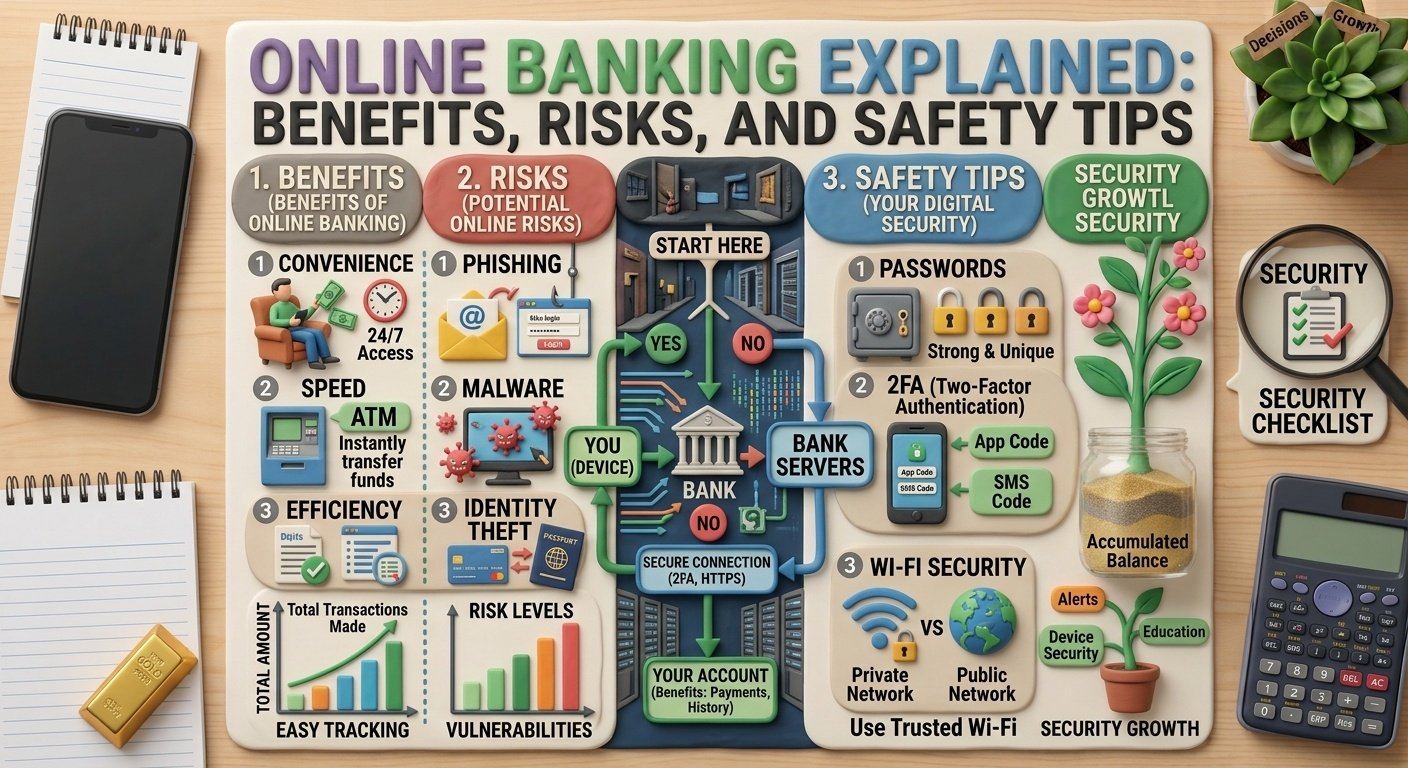
The most obvious benefit is accessibility — you can check balances, transfer funds, or pay bills at any time, from anywhere with an internet connection, without needing to visit a branch during limited operating hours. For routine banking tasks, this convenience meaningfully reduces the time and effort involved compared to in-person banking.
Better Visibility Into Your Finances
Online banking platforms typically provide detailed transaction histories, spending categorization, and sometimes budgeting tools built directly into the app, giving you clearer, more immediate visibility into your spending patterns than reviewing periodic paper statements would offer.
Faster Transactions
Many online banking functions — fund transfers between your own accounts, bill payments, and transfers to other people — happen considerably faster than equivalent in-branch processes, sometimes processing instantly or within a few hours rather than requiring a branch visit and manual processing.
Often Better Rates and Lower Fees
Online-only banks, without the overhead of maintaining physical branches, sometimes offer better interest rates on savings accounts and lower account maintenance fees compared to traditional banks, since their operating costs are structurally lower.
The Real Risks You Should Understand
Phishing and Fraudulent Communication
One of the most common risks isn’t a flaw in the bank’s systems — it’s fraudulent communication designed to trick you into revealing your login credentials or personal information. Phishing attempts often arrive as emails, text messages, or calls impersonating your bank, urgently requesting that you “verify” your account details or click a link to resolve a supposed problem.
Legitimate banks generally don’t ask for your full password, PIN, or OTP (one-time password) through email, text, or phone calls — any communication requesting this information directly should be treated with significant suspicion, regardless of how official it appears.
Weak Passwords and Reused Credentials
Using simple, easily guessable passwords, or reusing the same password across your banking account and other less secure websites, significantly increases your vulnerability. If a less secure website you use experiences a data breach, and you’ve reused that same password for your banking login, your financial account becomes vulnerable through that unrelated breach.
Unsecured Networks
Accessing online banking through public Wi-Fi networks (at cafes, airports, or other public spaces) without additional protection can expose your session to interception, particularly on networks without proper encryption, since public networks are more vulnerable to certain types of monitoring by other users on the same network.
Malware and Compromised Devices
Malicious software installed on your device — sometimes through seemingly innocent app downloads or compromised links — can capture your banking credentials or session information without your knowledge, which is why keeping your device’s software updated and avoiding downloads from unverified sources matters for banking security specifically, not just general device health.
Practical Safety Tips for Online Banking
Use Strong, Unique Passwords
Create a password specifically for your banking account that isn’t used anywhere else, ideally combining a mix of characters that isn’t easily guessable from publicly available information about you (birthdates, common words, simple sequences). Consider using a reputable password manager to generate and store strong, unique passwords across your accounts without needing to memorize each one individually.
Enable Two-Factor Authentication
Most banks now offer two-factor authentication (2FA), requiring a second verification step — typically an OTP sent to your registered mobile number — beyond just your password. Enabling this adds a meaningful additional layer of protection, since a compromised password alone becomes insufficient for unauthorized access.
Verify Communication Independently
If you receive a message or call claiming to be from your bank requesting urgent action, avoid clicking embedded links or calling back numbers provided in that communication. Instead, independently navigate to your bank’s official app or website (typed directly, not through a link) or call the official customer service number listed on your bank’s verified website or physical card to confirm whether the communication is genuine.
Avoid Banking on Public or Unsecured Wi-Fi
Where possible, use your own mobile data connection or a trusted, secured home network for banking transactions rather than public Wi-Fi. If you must use public Wi-Fi, avoid conducting banking transactions during that session, or use a reputable VPN service to add a layer of encryption to your connection.
Keep Your Devices and Apps Updated
Regularly updating your phone or computer’s operating system and your banking app ensures you have the latest security patches, which often address newly discovered vulnerabilities that could otherwise be exploited.
Monitor Your Account Regularly
Regularly reviewing your transaction history — rather than only checking occasionally — helps you identify unauthorized transactions quickly, which is important since faster reporting generally improves your chances of resolving fraudulent transactions through your bank’s dispute process.
Log Out Properly After Each Session
Particularly on shared or public devices, always log out of your banking session explicitly rather than simply closing the browser tab or app, since some sessions can remain active in the background if not properly terminated.
What to Do If You Suspect Fraud or Unauthorized Access
If you notice unfamiliar transactions or suspect your banking credentials may have been compromised, contact your bank’s official customer service immediately using verified contact information (not a number from a suspicious message), and consider changing your password and enabling additional security features right away. Most banks have specific fraud reporting processes and timelines that affect your ability to dispute unauthorized transactions, so prompt action generally improves your outcomes.
Common Misconceptions About Online Banking Safety
Some people avoid online banking entirely, believing physical branch banking is inherently safer — but branch banking carries its own risks (physical document theft, in-person fraud), and modern online banking, when used with reasonable precautions, is generally considered secure by financial institutions that invest heavily in encryption and fraud detection systems.
Others assume that once they’ve set a strong password, no further precautions are necessary — but security is an ongoing practice, not a one-time setup, requiring continued vigilance around phishing attempts, software updates, and regular account monitoring.
Key Takeaways
- Online banking offers genuine convenience, better financial visibility, faster transactions, and sometimes better rates compared to traditional in-branch banking.
- The biggest risks generally come from phishing attempts and human error, not inherent flaws in bank security systems themselves.
- Strong, unique passwords and two-factor authentication are among the most effective safety measures you can implement.
- Always verify suspicious communication independently rather than trusting links or numbers provided in the message itself.
- Regularly monitoring your account and reporting suspicious activity promptly improves your chances of resolving any fraudulent transactions.
Conclusion
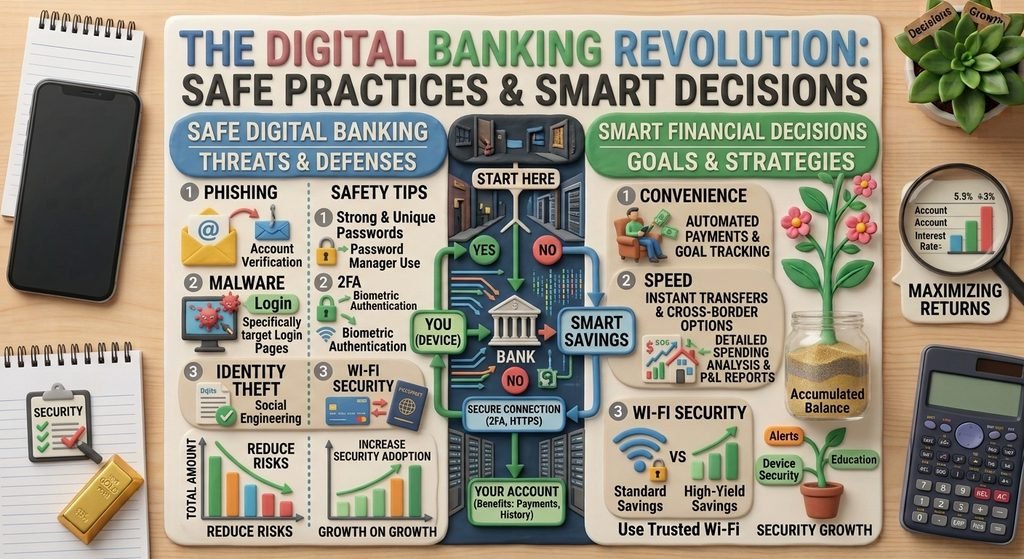
Online banking offers real, practical benefits — convenience, speed, and better visibility into your finances — but using it safely requires ongoing attention to a few key practices: strong unique passwords, two-factor authentication, careful verification of any communication claiming to be from your bank, and regular account monitoring. Approached with these reasonable precautions, online banking is a secure and genuinely useful tool for managing your money.